
Step 2: Refine
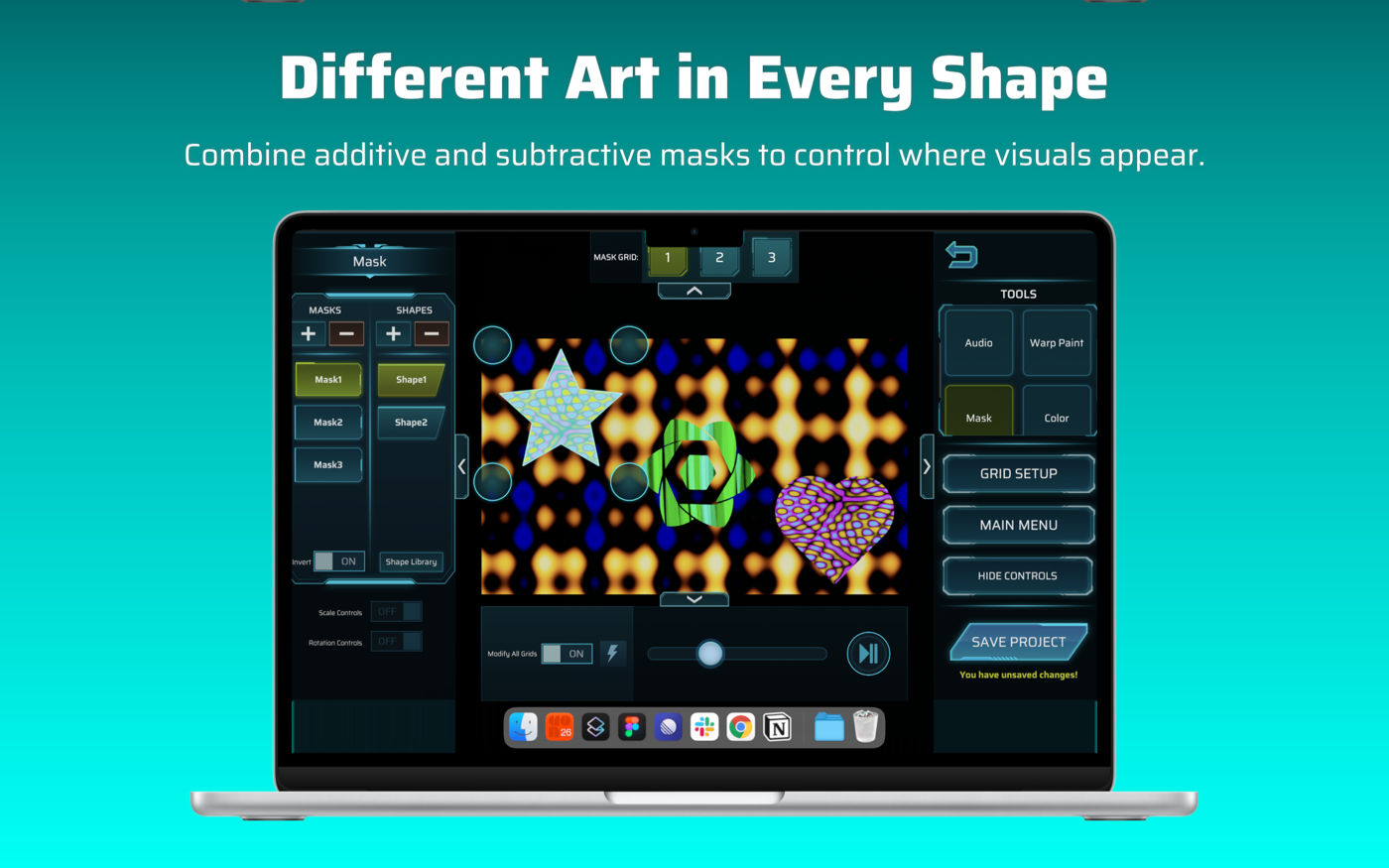
Step 2 is where you refine and perform. Your projection stays visible in the middle while you switch tools around it. You get here from Step 1 with SAVE + CONTINUE.
Layout
Section titled “Layout”- Top: the numbered grid strip (shown for the Mask tool, where it controls Mask Grid).
- Left panel: the controls for the tool you’ve selected.
- Right panel: the TOOLS list and the main buttons.
- Bottom bar: play, pause, timeline and speed. See Playback bar.
The small chevrons at the edge of each panel collapse and expand it.
Right-panel buttons
Section titled “Right-panel buttons”| Button | What it does |
|---|---|
| TOOLS | Pick the tool shown in the left panel: Mask, Warp Paint, Color, Background Key, Audio, Shader. Scroll the list if some are out of view. |
| GRID SETUP | Goes back to Step 1. |
| MAIN MENU | Returns to the Main menu. |
| HIDE CONTROLS | Hides every control so only the projection remains. Tap anywhere to bring them back. |
| SAVE PROJECT | Saves everything. See Saving and opening projects. |
| Undo arrow (top right) | Undoes your last change. |
Undo reverses the most recent change of the kind you just made, one step at a time:
- the last Warp Paint stroke or reset
- the last mask or shape edit
- the last Color, Background Key, Audio or Shader change
- the last playback change (play/pause, scrub, speed)
The Undo arrow greys out when there is nothing to undo.
Modify All Grids
Section titled “Modify All Grids”Most tools have a Modify All Grids switch. Off, the tool changes the grid shown in the panel’s grid selector (arrows and a small icon for the grid’s type: video, image or shader). On, the change applies to every grid. Turning it on copies the current grid’s values to all the others first, and that is undoable.
Controls that only work for some art
Section titled “Controls that only work for some art”Controls for video (timeline, play/pause, speed, audio) stay on screen for image and shader grids but are disabled. Tap one and the app tells you “This control only works for Video grids”. Shader controls do the same for non-shader grids.
Casting
Section titled “Casting”A Cast button sends the projection to an AirPlay screen. See Casting to a screen.